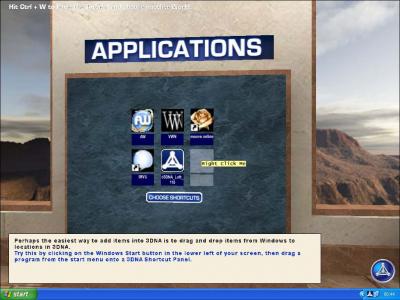
A Wall of Applications
Just right-click one, and find an icon - or alternatively drag them straight from the start menu. The icon comes up, and you may name them whatever you like. Clicking on these from anywhere they are in view, will start the program normally. |
[<< Back] [1] [2] [3] [4] [5] [6] [7] [Next >>]
|
Images: Mixed Sources,
Text: Virtual Worldlets Network, all rights reserved. |